
Literature Search Strategy
This process can be assisted by AI tools, including search strategy formulation and medical guideline retrieval, significantly improving literature analysis efficiency and reducing manual screening burden.
Literature database searches are based on the PICO framework (Population, Intervention, Control, Outcome), considering literature related to the subject device (if applicable) and comparator devices. When too many irrelevant records are retrieved, multiple AND Boolean operators and MeSH subject headings are used to narrow the search.
Special Notes:
- Embase: Use the "Quick Search" function.
- Cochrane: Use "Advanced Search" and select "Cochrane Reviews" and "Trials" under search limits.
- CNKI and Wanfang: Results restricted to Chinese-language literature.
Literature Search for EU MDR Compliance
Search Scope Requirements
Per MDR Article 61 and MDCG 2020-6, the literature search must cover:
- State of the Art
- Currently available alternative treatments
- Clinical data for benchmark/similar devices
- Clinical data for equivalent devices (if equivalence is claimed)
- Identified safety concerns and adverse event reports
Search Time Frame
- Basic search: literature from the past 5 years (consistent with State of the Art principles)
- Safety issues: may require extension to earlier literature
- Current state of technology: prioritise the most recent guidelines and reviews
Search Quality Assurance
To ensure compliance with MDCG 2020-6:
- Search strategies must be traceable and reproducible
- Search dates and databases must be documented
- Rationale for search term selection must be stated
- Completeness and systematic nature of the search must be demonstrated
Ongoing Literature Monitoring
Per MDR Article 83 and MDCG 2020-6:
- Establish a literature monitoring mechanism
- Regularly update search strategies
- Promptly identify newly emerging safety issues
- Assess the impact on the device's benefit-risk profile
Exporting References from Databases
PubMed
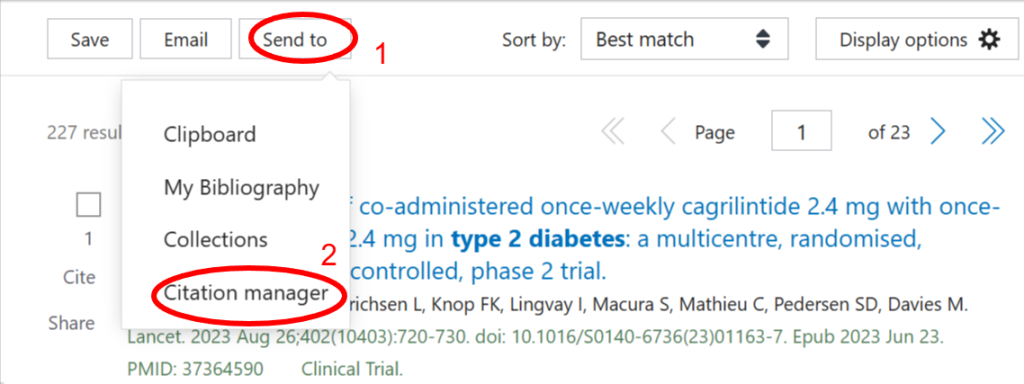
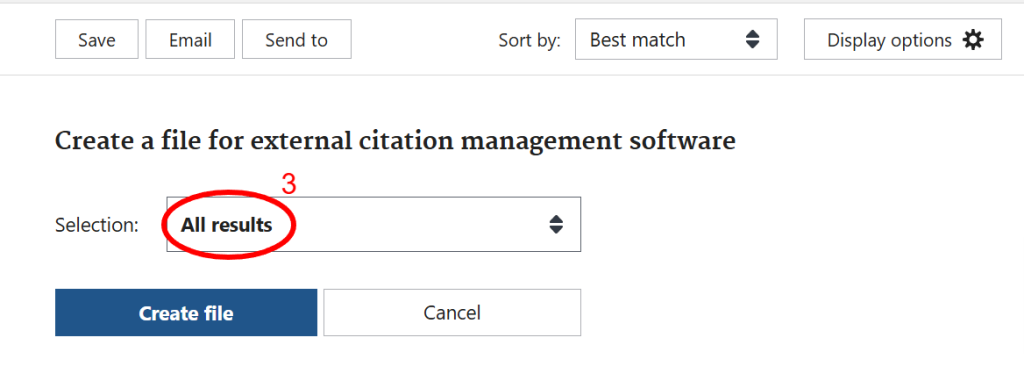
On the search results page, click Send to, select Citation manager, choose All results, and click Create file to download the .nbib file.
Embase
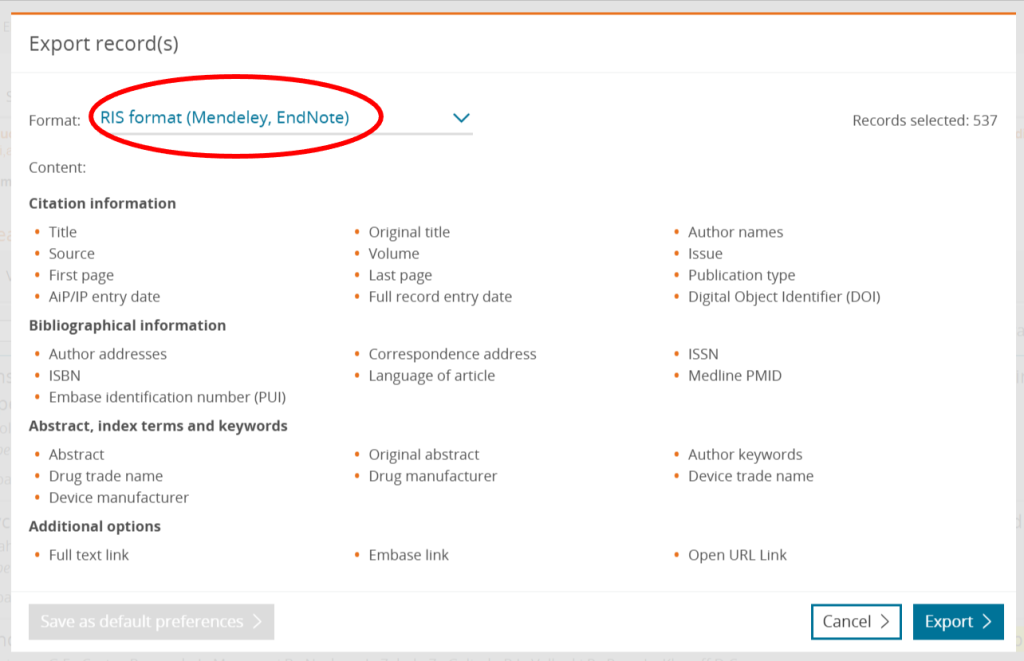
On the search results page, select all results, click Export, confirm the format is RIS format, and click Export to download the .ris file.